
When to use it
Limits without an unnecessary re-encode.
A chat, attachment, or upload form may cap either file size or duration. If the source is eligible and contains suitable keyframes, fast splitting can create smaller sequential files while preserving the existing encoded picture and sound. This is different from compression: the streams are copied rather than re-encoded.
Steps
Split video by size or duration.
Drop one eligible video
Use an H.264 MP4 or MOV file with AAC audio or no audio. Other codecs and containers are outside the current fast mode.
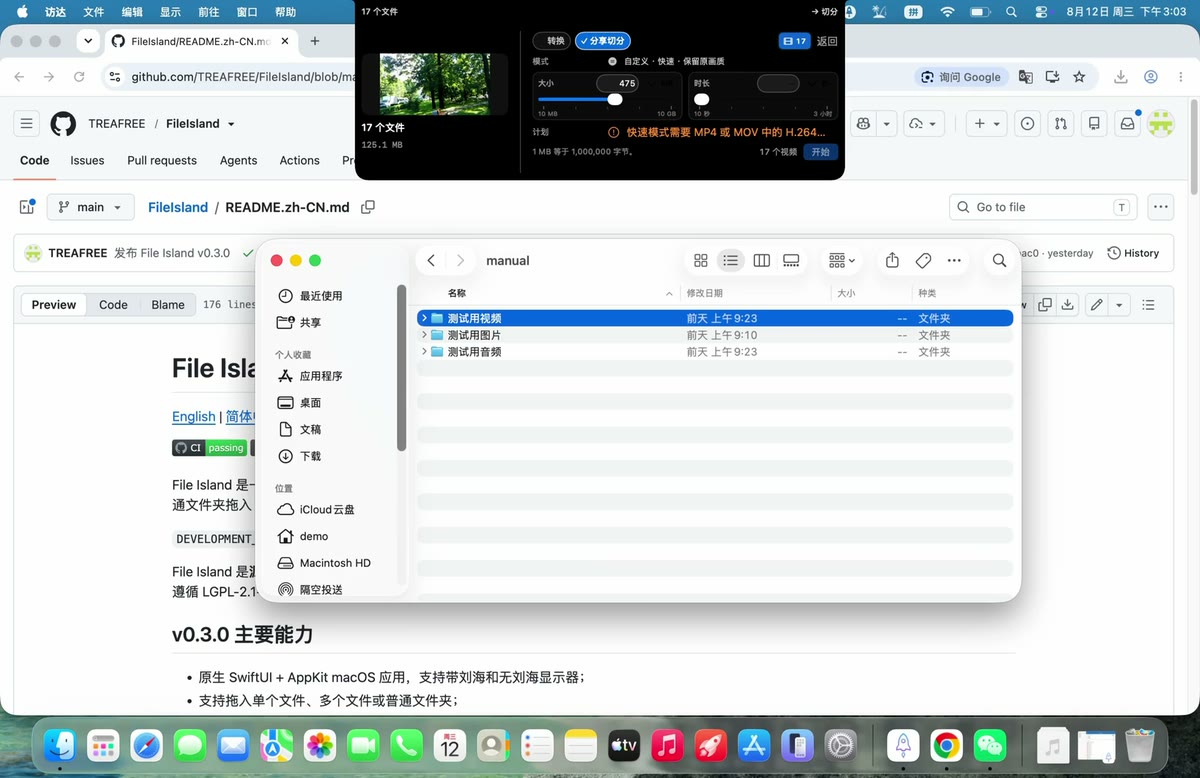
Choose Split for Sharing
Select the fast/original-quality mode. Platform-branded presets are not published in version 0.3.3.
Set a size, duration, or both
Enter a positive limit or use the slider. Decimal MB means 1,000,000 bytes; switching the display unit does not change the stored constraint.
Review the plan and start
File Island probes the source, shows the segment plan, creates the files in staging, validates them, and then publishes one complete Split folder.
What “fast” means
Existing keyframes determine the boundary.
Independent video segments need safe starting points. The source may place keyframes several seconds apart, so an exact requested duration or byte boundary is not always available. File Island applies a safety ratio and fails closed when the available keyframes cannot meet the selected constraints.
A failure here is intentional protection: File Island will not silently publish an oversized segment or switch to a quality-reducing encode.
当前快速切分不是任意时间点剪刀。 它只能在源视频已有的安全关键帧处切分。如果关键帧间隔太长,无法满足限制,任务会停止且不发布残缺结果。
Verified boundary
Version 0.3.3 fast splitting accepts eligible H.264 MP4/MOV video with AAC audio or no audio. It does not yet provide precise re-encoded splitting, editing, merging, or verified WeChat/Bilibili/Discord presets.
Related