PLAN
Name the next step
Every Focus session starts with a concrete task, so the work has a purpose before the clock begins.
 METRUNE
APPLE SILICON · macOS 15+
Metrune is more than a timer. It connects tasks, Codex, GitHub, music, and device events to one notch—and turns daily effort into levels, badges, and reports.
Free Community Release · Local-first · No account
ONE COMPLETE WORK LOOP
Plan, focus, and reflect in one local activity record.
PLAN
Every Focus session starts with a concrete task, so the work has a purpose before the clock begins.
FOCUS
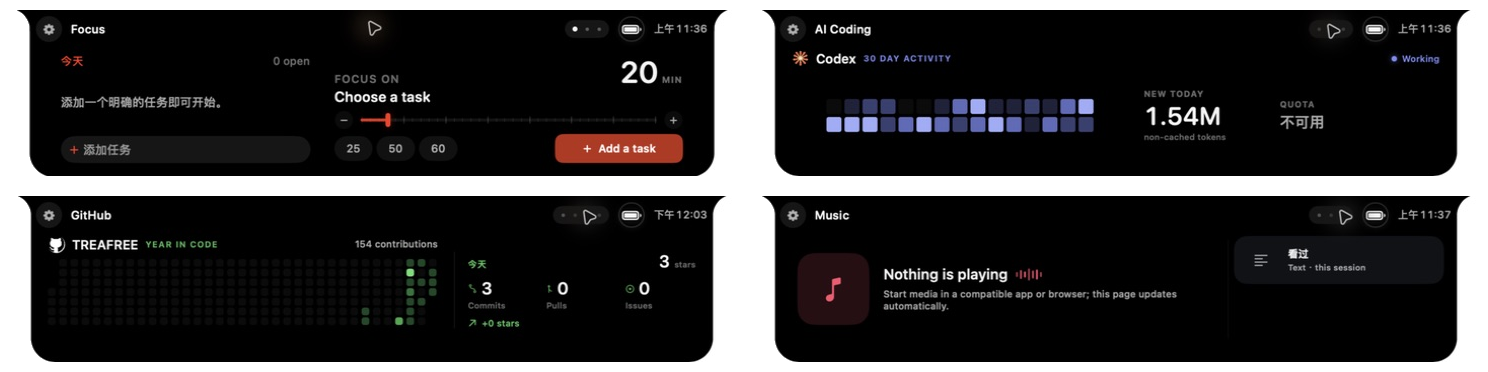
Running, paused, break, and expired states stay distinct; compact mode shows only what matters now.
REFLECT
Focus, tasks, Codex, and GitHub flow into day, week, month, and year views instead of disappearing.
NOT A PAGE—A SET OF CAPABILITIES
FOCUS
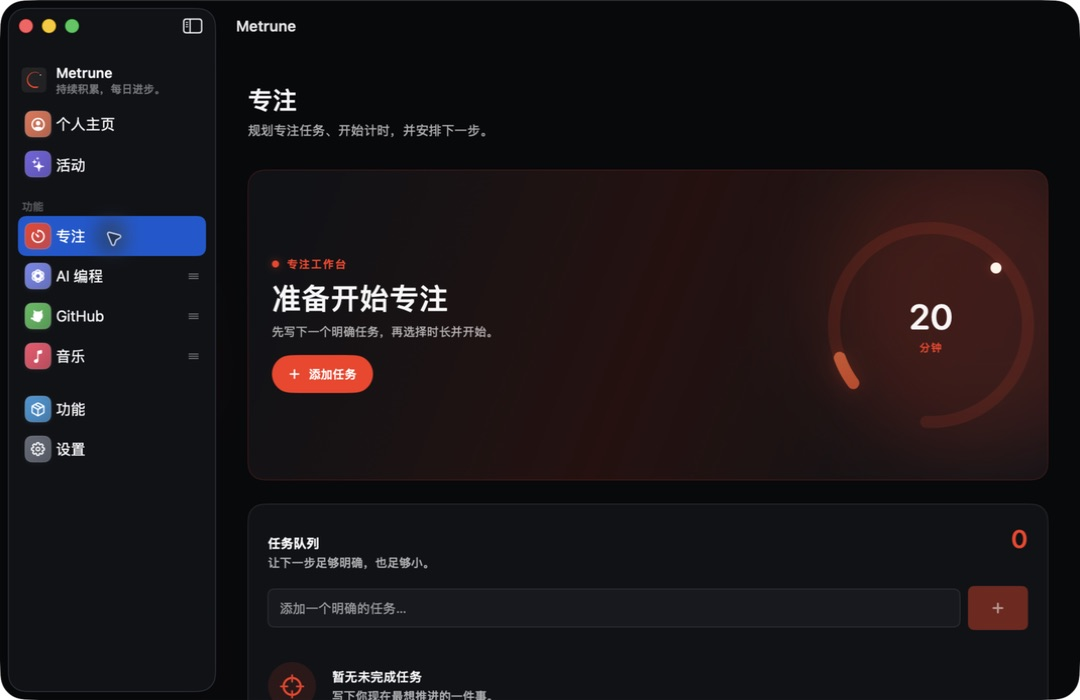
Task queue, adjustable duration, pause, breaks, completion, and reliable launch recovery.
AI CODING
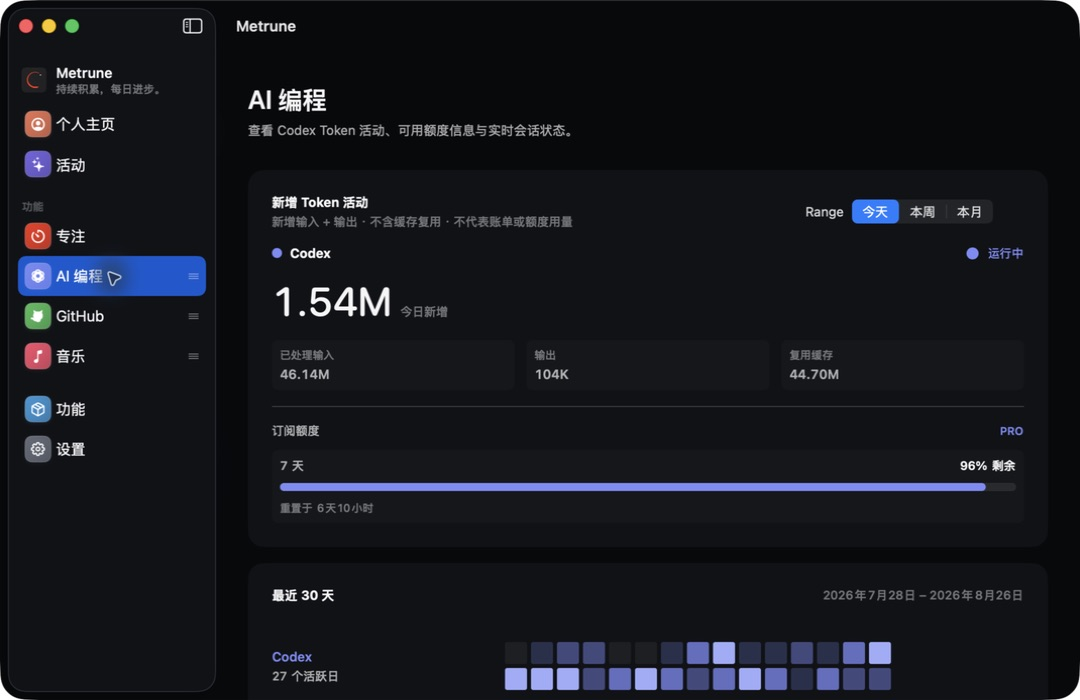
Codex session state, 30-day activity, and read-only quota. Stale data never pretends to be live.
GROWTH
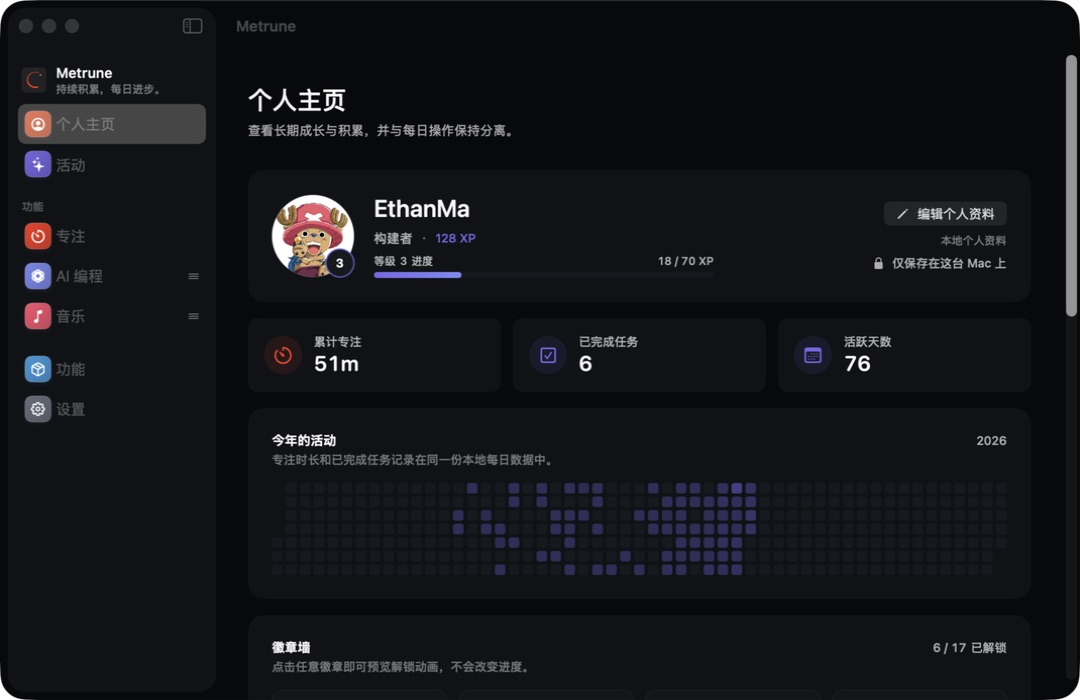
Local avatar, levels, titles, annual heatmap, and a Focus, GitHub, and AI Coding badge wall.
REPORTS
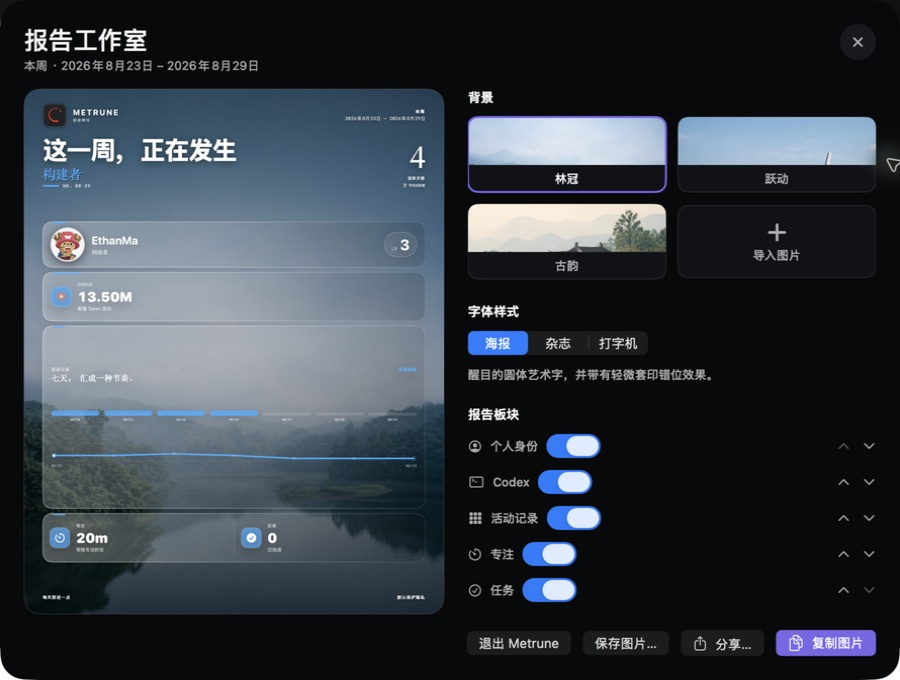
Weekly and monthly reports with backgrounds, typography, module order, animated previews, and static export.
ARRIVE BRIEFLY. LEAVE ON TIME.
Power, headphones, and keyboards receive a clear moment beside the physical notch, then Metrune returns to the page you were using.
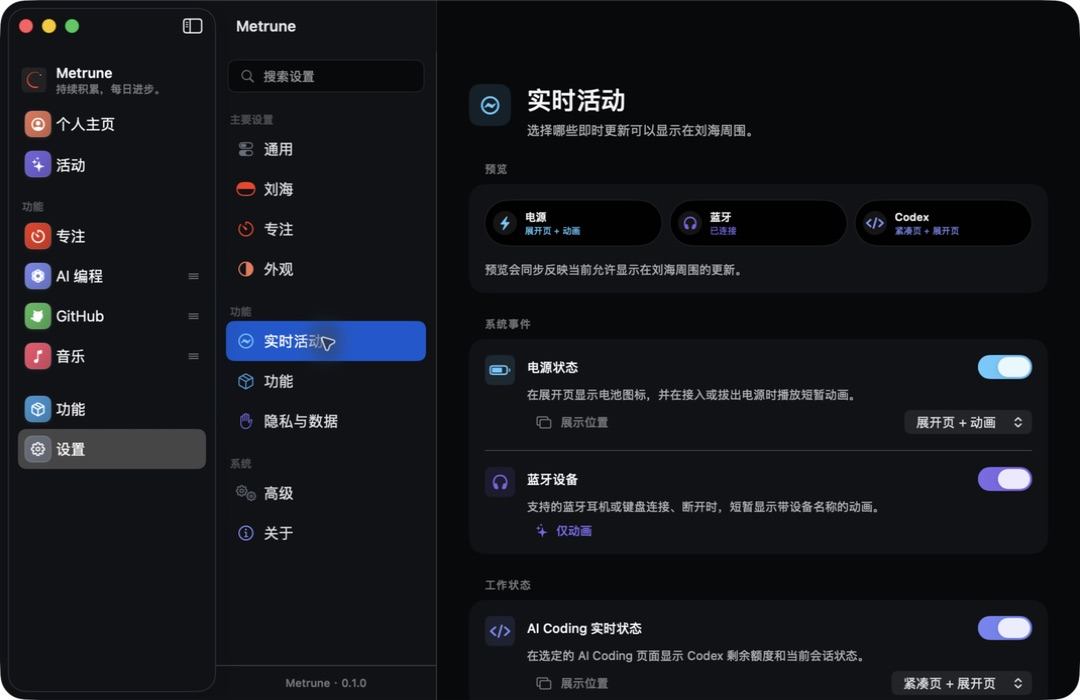
Status stays in the expanded header; connecting and disconnecting power use independent motion.
Device identity leads, connection state trails, and no device history is retained.
Working, approval, and completion are distinct and independently previewable in Settings.
LOCAL-FIRST
Tasks, focus, activity, avatar, levels, and badges stay on the Mac by default. Metrune has no cloud account and never auto-uploads diagnostics.
CURRENT COMPATIBILITY
The v0.1.0 Community Release supports Apple Silicon and macOS 15 or later. It is ad-hoc signed and not Apple-notarized, so first launch may require right-clicking the app in Finder and choosing Open.
FAQ
No. Focus is the core, but Metrune also connects Codex, GitHub, music, device events, progress, badges, and reports into the same workflow.
Yes. External and notchless displays use a virtual top surface with configurable per-display behavior.
No. AI Coding uses limited local activity metadata and an official read-only quota source. It does not read or store prompts, responses, credentials, or source code.
The v0.1.0 Community Release is ad-hoc signed and not Apple-notarized. Download only from the official GitHub Release, then right-click the app in Finder and choose Open.
Yes. Metrune supports manual export, integrity checks, and an explicitly confirmed replacement restore. You can place the backup in iCloud Drive yourself.
METRUNE v0.1.0
Download the free Community Release, or inspect the source and privacy boundaries first.